Merge images to remove dead zones#
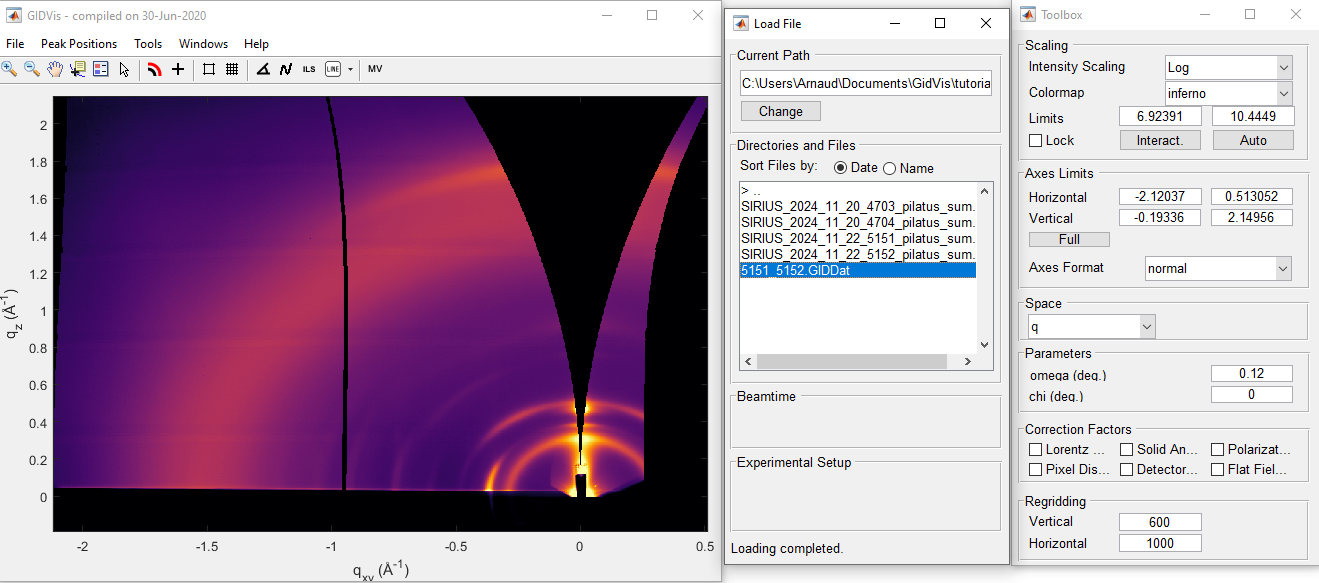
The purpose of collecting diffraction patterns at two different detector angles is to merge the images and eliminate the horizontal dead zones that may obscure a peak.
Steps to merge images#
In the
Load Filewindow, select the files you want to merge. For this example, choose scans5151and5152(hold Ctrl to select multiple files).Right-click on the selected files and choose `Merge Selected Images.
Assign setups#
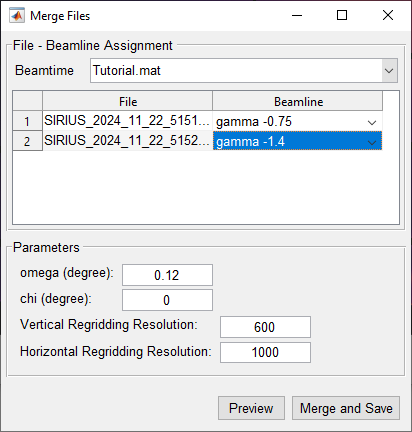
In the new window that appears, assign the appropriate Experimental Setup to each file:
5151: Set to
gamma -0.755152: Set to
gamma -1.4
Ensure the other parameters are correctly filled in. If they were previously set, you can leave them as is.
Save the merged file#
Click
Merge and Save.Name the merged file
5151_5152.GIDDatand save it in the same folder as your raw data.
You can now select the merged file in the Load File window for further analysis.